
Baby age timeline
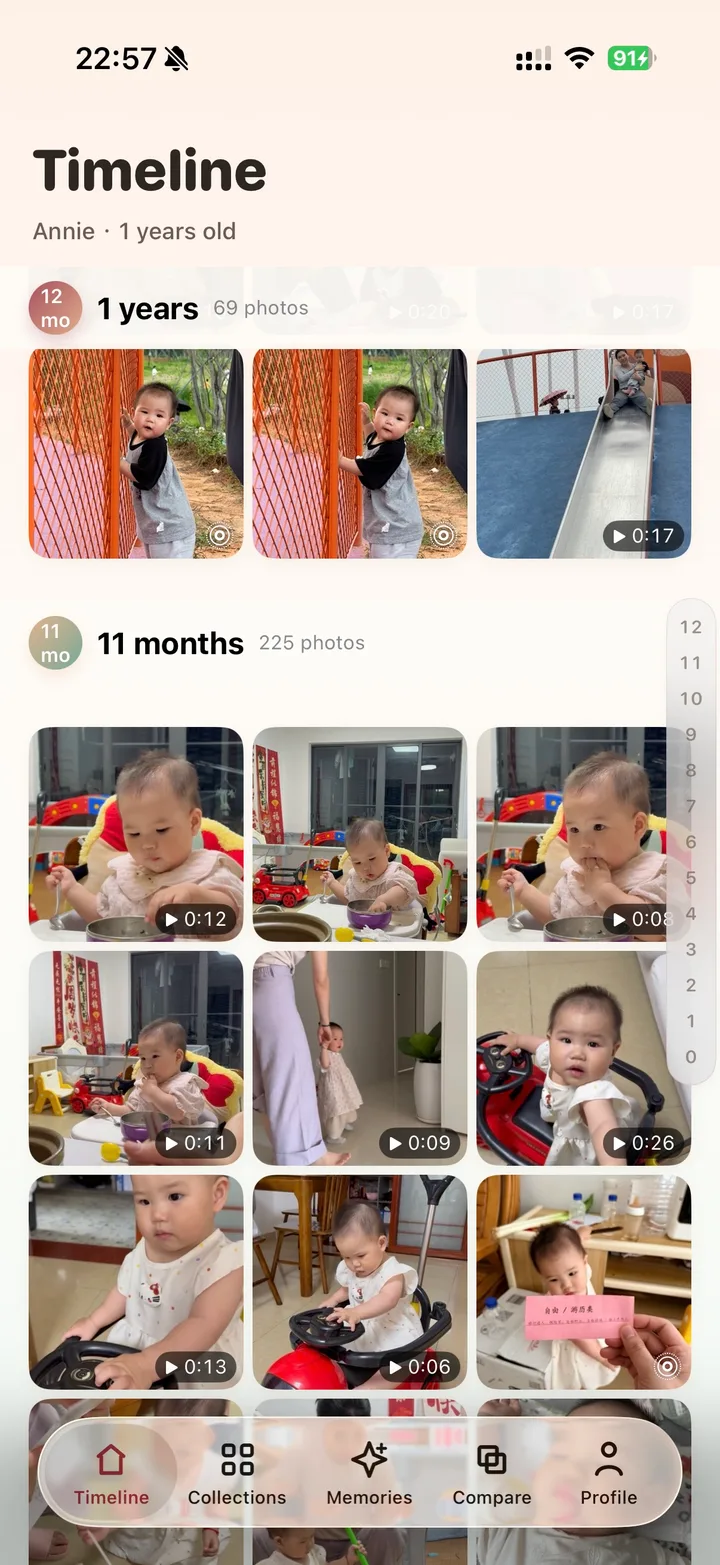
Browse photos and videos by how old your child was, from newborn days to first birthday.

Baby photo organizer for iPhone
BabyTime turns your camera roll into a growth timeline, grouping photos and videos by month, day, milestones, memories, and side-by-side comparisons.


What makes BabyTime different
BabyTime finds the baby moments already in your iPhone library and turns them into a private timeline by months, days, milestones, and memories.
Browse photos and videos by how old your child was, from newborn days to first birthday.
On-device recognition and photo analysis reduce the work of sorting a crowded camera roll.
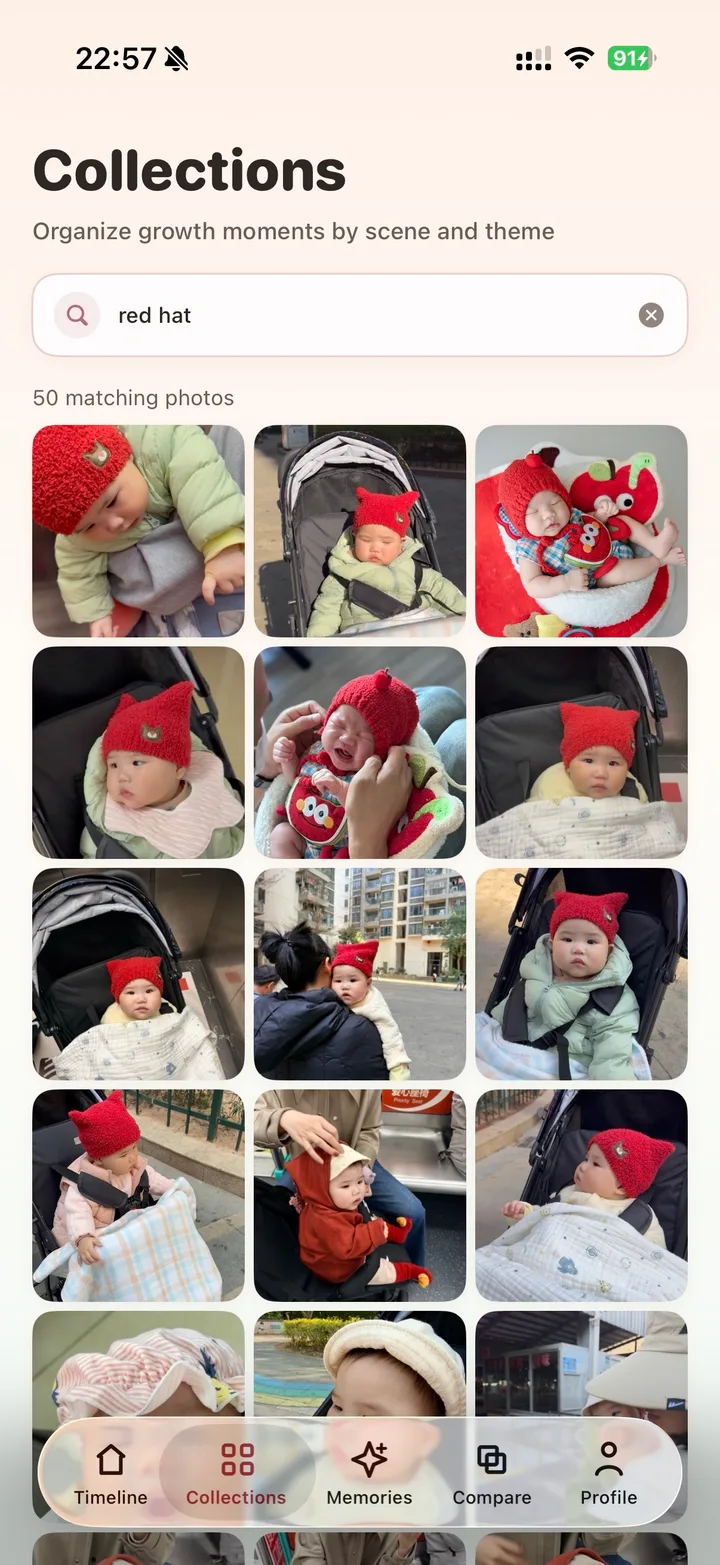
Find smiles, naps, meals, outdoor moments, parent-child photos, and everyday scenes faster.
Core organization happens on device. BabyTime is not a public social feed or cloud album.
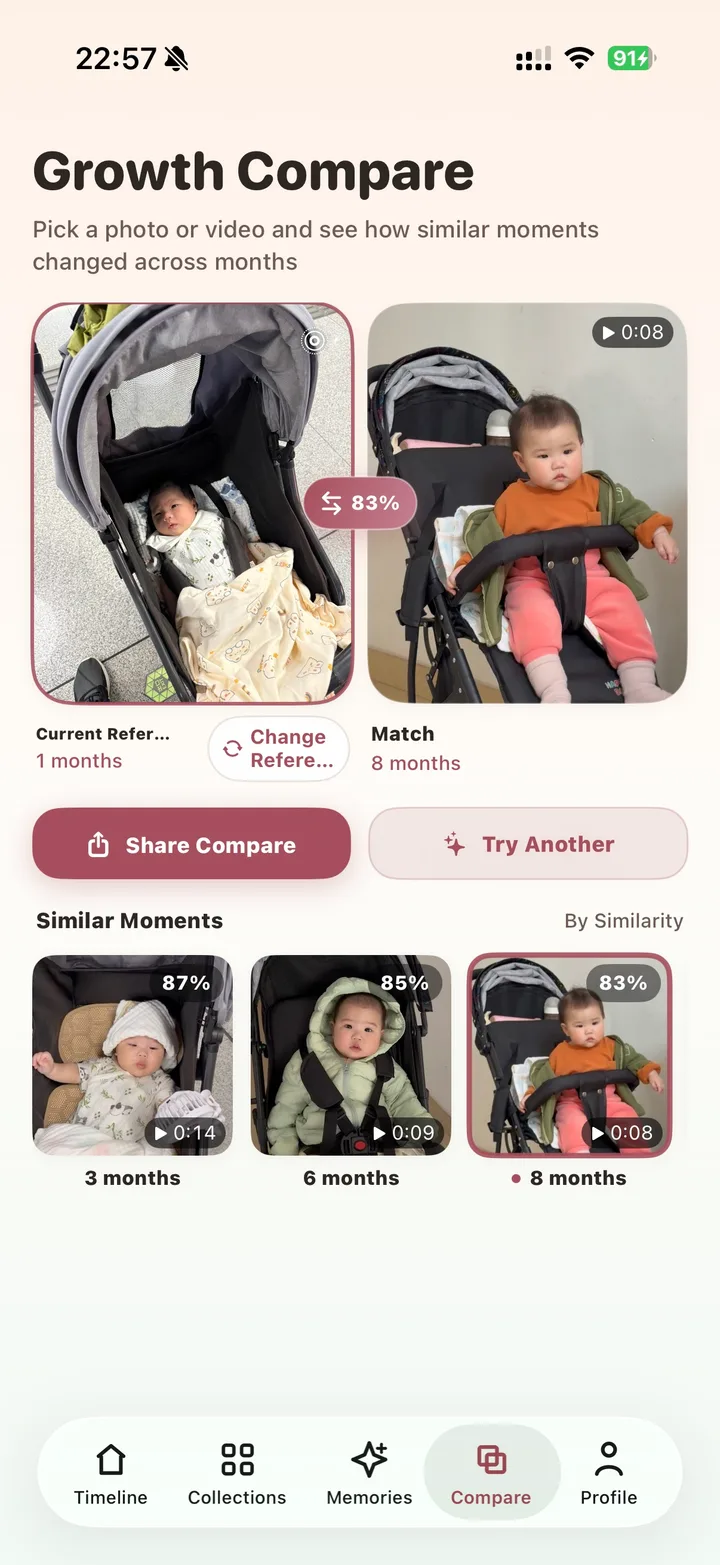
Place similar moments side by side and see the changes that are easy to miss day to day.
Revisit today across past months and years, plus random moments from your baby library.
How it works
Create a baby profile once, then let BabyTime bring order to the photos and videos you already have.
BabyTime uses the birthday to calculate age for every photo and video.
Recognition and scene analysis help surface baby-related photos without manual album work.
Parents can jump to months, milestones, themes, or similar moments across time.
Built for parents who already have thousands of baby photos
Timeline
Instead of remembering calendar dates, parents can scroll through the first month, 100 days, 6 months, and first birthday as growth stages.

Search
Type a moment like smiling, sleeping, outdoors, or parent-child photo and return to the memory faster.

Compare
BabyTime helps compare similar moments across months so small changes feel clear and shareable.

Why not a normal album
Camera rolls, cloud albums, and family feeds are useful, but they usually organize by date, sharing, or folders. BabyTime centers baby age.
Dates, folders, or shared albums
Child age, months, days, milestones, and memories
Manual album creation and repeated sorting
Create profile once, then browse age-based stages
Often built around upload, sync, or sharing
Core recognition and indexing happen on device
What parents get back
BabyTime is useful when your camera roll is already full. It gives parents a practical way to return to the right stage without rebuilding albums by hand.
Jump to newborn days, 3 months, day 100, first birthday, and other age-based stages directly.
Use baby recognition, timestamps, and collections as the first layer of organization before you pick favorites.
Prepare birthday recaps, family messages, photo books, and growth comparisons without digging through the whole library.
FAQ
BabyTime focuses on organizing your own iPhone photo library by baby age. It is not positioned as a public social feed.
The current release processes core organization features such as recognition, age browsing, and collection indexing on device.
Yes. If photos have capture dates, BabyTime can calculate child age from the baby birthday.
Start with the photos you already have. BabyTime organizes the story around your child.
Download BabyTime